
Free, no sign-up
Free plugins for your store
Two of these sit inside your store's admin and tell you what's outdated, risky or slow, and how to fix it. The third is a Chrome extension that tells you what any store runs on. They're free, and they don't send anything about your store to us or anyone else.
WordPress plugin
Store Health Check for WooCommerce
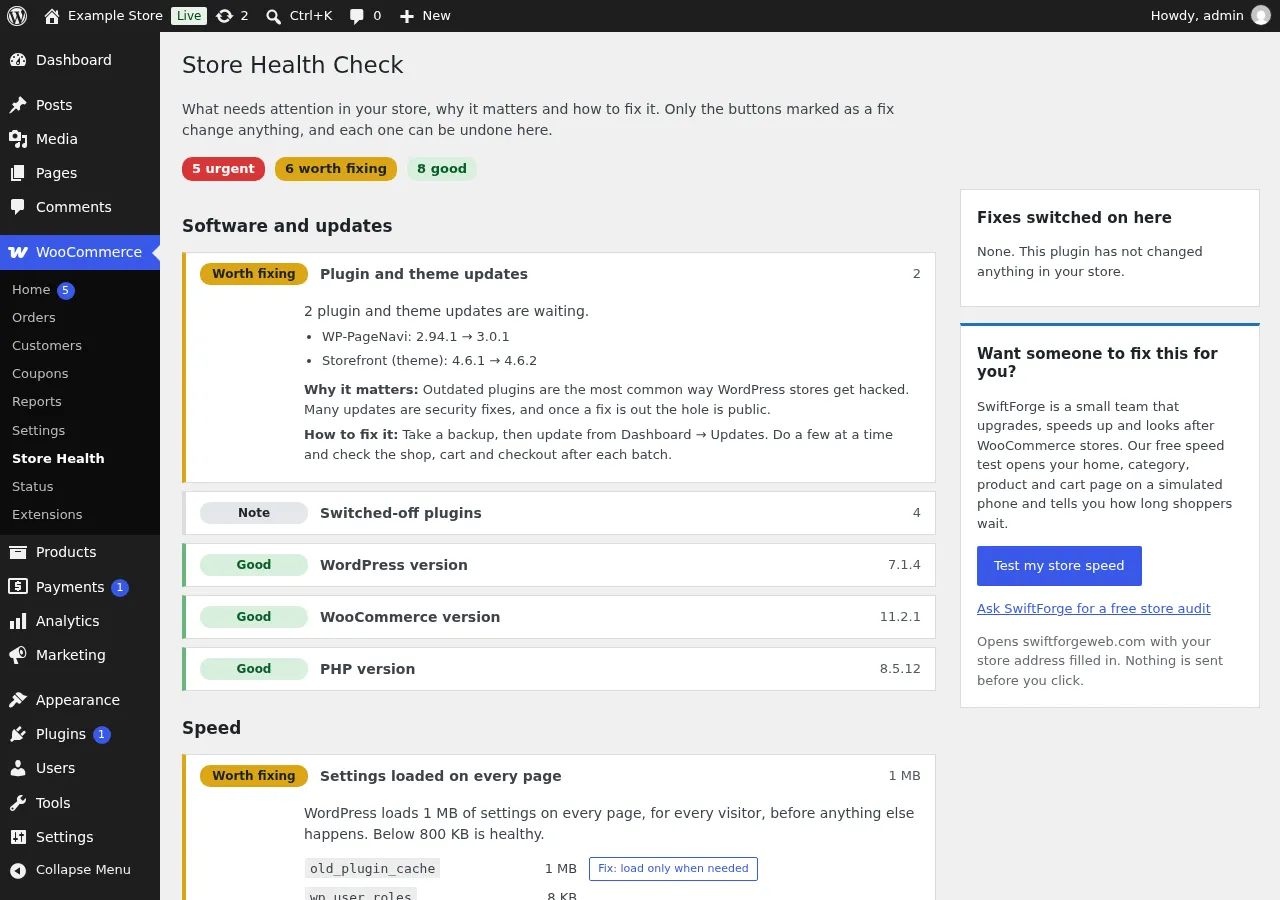
One page in your WordPress admin that lists what needs attention in your store, worst first, with why it matters and how to fix it.
- A health score for the store, and how it changed since the last check.
- WordPress, WooCommerce, PHP, plugins and theme: what's out of date and what no longer gets security fixes.
- Checkout and payments, including payment methods left in test mode, plus orders, order emails and your catalogue.
- Speed: page cache, settings loaded on every page, heavy images, cart fragments and an untidy database.
- Security basics, like debug mode left on or a log file anyone can download. An optional daily check emails you only when something is Urgent.
A few fixes are one click, and each one has an Undo button. It never edits your theme, your files or other plugins.
Free. Nothing leaves your store. Needs WordPress 6.4 and PHP 7.4 or newer.
PrestaShop module
Store Health Check for PrestaShop
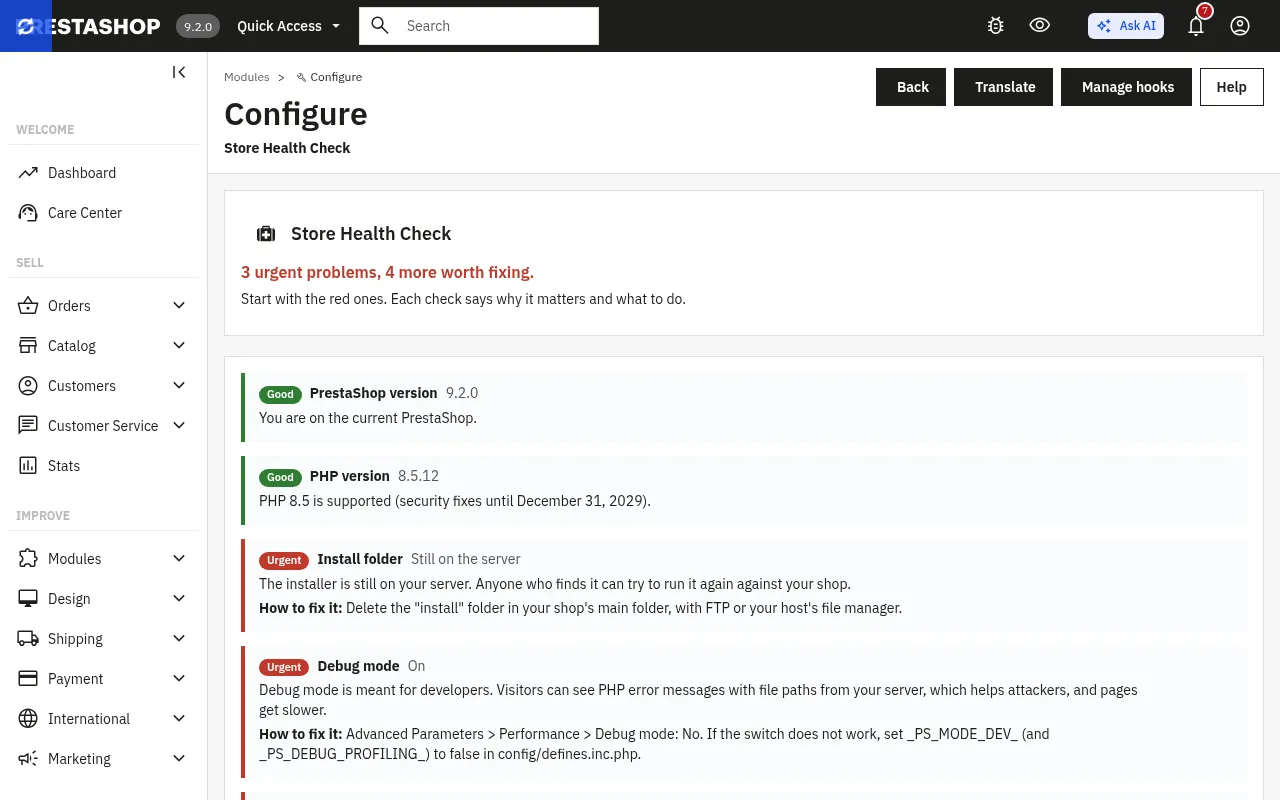
One page in your back office that shows what in your shop is outdated, risky or slow, and how to fix each thing. Problems that put the shop at risk are marked Urgent.
- Whether your PrestaShop and PHP versions still get security fixes, and until when.
- A leftover install folder, debug mode left on, and pages not served over HTTPS.
- Module upgrades waiting, modules whose files are gone, and every file in /override.
- Template compiling left on after theme work, and CSS and JavaScript not combined. Both are one-click fixes with Undo.
Everything else is advice. There's no button for anything that could lock you out or break the shop.
How to install: Modules → Module Manager → Upload a module, choose the zip, then click Configure on Store Health Check.
Coming to PrestaShop Addons.
Free. Nothing leaves your shop, and it works behind a firewall. PrestaShop 1.7.8, 8 and 9.
Chrome extension
Store Inspector
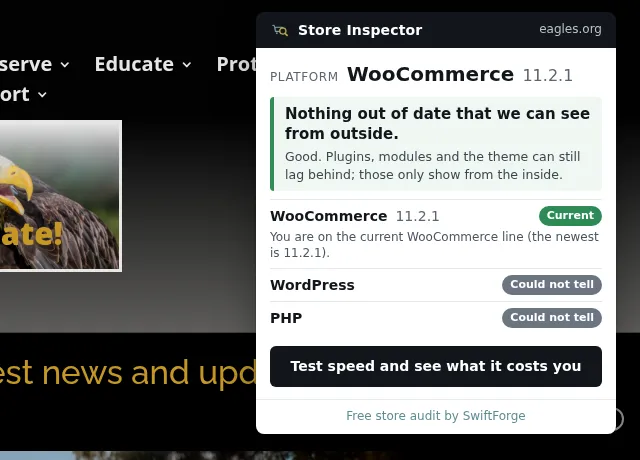
Open any online store, click the icon, and see which store software it runs on, which version, and whether that version still gets security fixes.
- Recognizes WooCommerce (with the WordPress underneath), PrestaShop, Magento and Shopify. If it can't tell, it says so instead of guessing.
- A plain verdict: current, behind, or end of life, and what that means.
- The PHP version, when the server gives it away.
- A button to our free speed test, if you want to know how long shoppers wait.
Handy for checking your own store, a competitor's, or a client's before a call.
Free. It only looks at a page when you click its icon. It doesn't run in the background, doesn't read your browsing, and collects nothing.
Inside, outside, and a person
The two health checks look at your store from the inside, where the admin can see things a visitor never will. Our free tools do the opposite: they look from the outside, the way a shopper or Google does, and they don't need anything installed.
If you'd like a short summary without installing anything, the free check emails you a PDF in a few minutes.
None of this replaces someone who knows stores going through yours. In our free store review we make a copy of your store and look at it from the inside. You get a written list of what's wrong, what can wait, and a fixed price for the rest, within 3 business days. No charge, no obligation, and sometimes the answer is "leave it alone".
Would you rather a person looked?
Book a free 15-minute call. We'll look at your store together and tell you honestly what we'd do first.